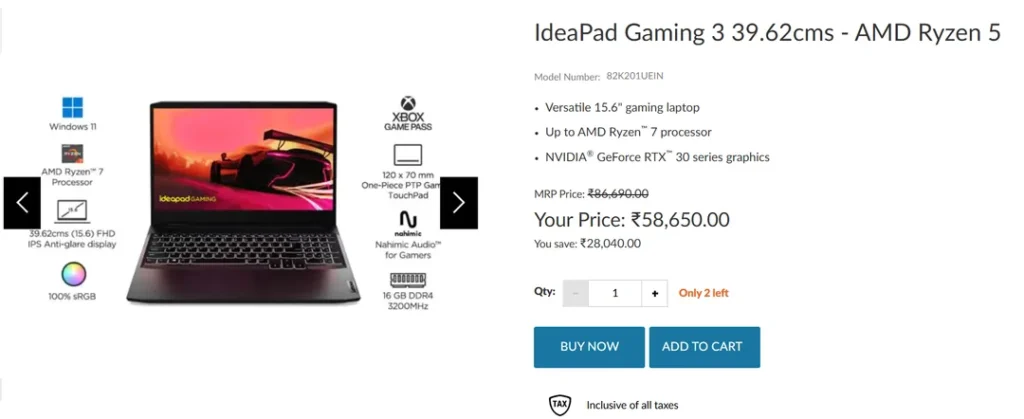
A cybersecurity student can run out of memory long before running out of graphics power. Open a browser, start a Linux virtual machine, add a second lab environment and a laptop that looked fast in the shop suddenly feels cramped. With a ₹60,000 ceiling, I would spend less time comparing flashy GPU stickers and more time checking RAM upgrades, processor performance, cooling and Linux compatibility. The useful question is whether the machine will still handle your coursework two years from now.
Quick buying rule
For a student who expects to run Windows plus a Linux virtual machine, browsers, an IDE and security tools at the same time, 16GB of RAM is the practical starting point. If the machine has 8GB, confirm that memory is upgradeable and include the upgrade cost in your budget.
What matters most
| Priority | What to look for | Why it matters |
|---|---|---|
| Memory | 16GB or a clear upgrade path | Virtual machines and browsers consume memory quickly. |
| CPU | Recent multi-core Intel Core or AMD Ryzen class processor with virtualisation support | VMs, compilation and local labs benefit more from CPU/RAM than from a high-end GPU. |
| Storage | 512GB SSD minimum for most students | VM images, snapshots and development environments grow fast. |
| Linux | Check Wi-Fi, touchpad, audio and sleep support for the exact model | A laptop family name is not enough; components can change between variants. |
| Service | India warranty, service network and replaceable SSD/RAM where possible | Downtime matters during a course. |
Do you need a gaming GPU?
Usually not for introductory cybersecurity, networking, web security or programming. A discrete GPU can help with GPU computing, password-auditing labs or machine-learning workloads, but it also adds cost, heat and weight. Buy it only when your course or projects actually require it.
How to shortlist a model
- Write down the software your course expects: VMware/VirtualBox, Docker, IDEs and any lab images.
- Confirm the exact SKU has enough RAM and storage; retailer titles often combine several variants.
- Search the exact Wi-Fi chipset and laptop model with “Linux” before buying.
- Check the manufacturer warranty page and whether opening the back panel affects warranty.
- Prefer a seller with a clear return/replacement policy in case a critical driver or hardware issue appears immediately.
About the evidence
This is a research-based student buying guide. CSNR does not claim a controlled VM benchmark unless a specific machine, configuration, test image and timing method are published. The aim is to give you a repeatable checklist that still works when individual models and prices change.
Further reading and official sources
- Kali Linux virtualization documentation
- Microsoft Hyper-V requirements
- Use the laptop manufacturer’s support page for the exact model and warranty.
What this means in practice
Before paying, ask the seller for the exact model number and confirm whether the RAM is soldered. If the laptop ships with 8 GB and cannot be upgraded, a slightly slower model with 16 GB or an accessible memory slot could be the better student purchase. Leave room in the budget for an external backup drive, too.
Leave a Reply