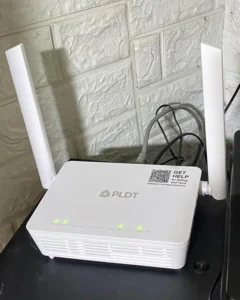
If you are using the default white router provided by your ISP (like JioFiber or Airtel Xstream), you are likely only getting 60% of the internet speed you pay for. Worse, these default routers often lack basic security features, leaving your home network vulnerable to “Piggybacking” and basic hacks.1
In 2025, the standard for wireless internet is Wi-Fi 6 (802.11ax). It isn’t just about raw speed; it’s about handling multiple devices—phones, laptops, smart TVs, and IoT cameras—without lagging.2
For this CSNR Tech Review, we tested the market to find routers that offer WPA3 Security (the new encryption standard) and high-speed coverage for Indian homes, all for under ₹5,000.
Quick Verdict: The Top 3 Picks
| Model | Speed (AX) | WPA3 Security? | Best For |
| TP-Link Archer AX23 | AX1800 | Yes | Overall Winner |
| Mercusys MR70X | AX1800 | Yes | Best Budget Pick |
| ASUS RT-AX53U | AX1800 | Yes | Best for Privacy |
Buying Guide: Why Upgrade to Wi-Fi 6?
Before spending your money, you need to know why you are upgrading. It’s not just about “more bars” in the bedroom.
-
WPA3 Security: This is the most critical feature for a site like CSNR. Older routers use WPA2, which is vulnerable to “Dictionary Attacks” (hackers guessing your password).3 WPA3 makes it mathematically much harder to crack your Wi-Fi password.4
-
OFDMA Tech: Think of your old router like a single delivery truck that visits one house at a time. Wi-Fi 6 uses OFDMA, which is like a truck delivering packages to 5 houses in one stop. This reduces latency (ping) for gaming.
-
Target Wake Time (TWT): This feature helps your phone and laptop battery last longer by telling them exactly when to wake up to receive data, rather than keeping the antenna on constantly.5
-
The “Indian Home” Factor: Indian homes often have thick concrete walls. You need a router with “Beamforming” technology, which focuses the signal directly at your device rather than spraying it in a circle.
Worried about neighbors stealing your net? Read our guide on How to Hide Your SSID and Secure Your Home Network.
1. TP-Link Archer AX23 – The Reliable All-Rounder
TP-Link dominates the Indian market for a reason: their app is easy to use, and the hardware is durable. The Archer AX23 is the “Gold Standard” for budget Wi-Fi 6.
Specs:
-
Speed: 1800 Mbps (1201 Mbps on 5GHz + 574 Mbps on 2.4GHz)
-
Processor: Dual-Core CPU
-
Antennas: 4 High-Gain Antennas
-
Ports: 1 WAN + 4 Gigabit LAN
Why it wins for Security:
The AX23 supports OpenVPN and PPTP VPN servers directly on the router. This means you can configure your VPN once on the router, and every device connected to it (even your Smart TV which doesn’t support VPN apps) gets protected. It also features a strict “Guest Network” mode that isolates guests from your main files and printers.
Pros:
-
Excellent heat dissipation (doesn’t get hot in Indian summers).
-
Tether App makes blocking unwanted users very easy.6
-
OneMesh support (can add range extenders later easily).
Cons:
-
No USB port for file sharing.
-
Reboot takes slightly longer (about 2 minutes).
2. Mercusys MR70X – The Price-to-Performance King
Mercusys is a sub-brand of TP-Link, offering similar technology at a cheaper price point by cutting out fancy plastic designs. If your budget is tight (around ₹3,000), this is the router to buy.
Specs:
-
Speed: AX1800 Dual Band
-
Tech: MU-MIMO & Beamforming
-
Security: WPA3 Support
-
Ports: 1 WAN + 3 Gigabit LAN
Why it wins for Security:
Despite being the cheapest on the list, it does not skip WPA3 encryption. It also includes “BSS Color” technology, which minimizes interference from your neighbor’s Wi-Fi router—a huge plus if you live in a crowded apartment complex in cities like Delhi or Mumbai.7
Pros:
-
Unbeatable price (often under ₹3,200).
-
Very strong 5GHz performance for streaming 4K.
-
Compact and hides easily on a shelf.
Cons:
-
Only 3 LAN ports (might be an issue if you have many wired PCs).
-
The web interface looks dated compared to TP-Link.
-
Short power cord.
3. ASUS RT-AX53U – The Privacy Enthusiast’s Choice
ASUS routers are legendary in the tech community because of their firmware. While slightly more expensive, the RT-AX53U brings enterprise-level features to the home user.
Specs:
-
Speed: AX1800
-
USB: 1x USB 2.0 Port (Rare in this segment)
-
Protection: AiProtection Classic
-
Warranty: 3 Years (Standard is usually 1 year)
Why it wins for Security:
This is the only router on this list that comes with AiProtection Classic, powered by Trend Micro. It actively blocks malicious sites at the router level before they even load on your phone. If a device on your network gets infected with a virus, the router can detect and block it from communicating with the hacker’s server.
Pros:
-
Includes a USB port for creating a personal Cloud Storage (NAS).
-
Top-tier parental controls (schedule internet time for kids).
-
The most advanced firmware for tech-savvy users.
Cons:
-
Price fluctuates (sometimes crosses ₹5,000).
-
Setup can be intimidating for non-tech users.
Check the detailed technical breakdown of the ASUS AiProtection Feature to see how it stops malware.
Which Router Fits Your Home?
Upgrading your router is the single best investment you can make for your digital life in 2025. Here is the final breakdown based on your needs:
-
For Family Safety & VPN Use: Get the TP-Link Archer AX23. It is balanced, easy to manage via the app, and offers solid VPN support for working professionals.
-
For Tight Budgets: The Mercusys MR70X offers 95% of the performance of the TP-Link for 70% of the price. It is perfect for students or small 2BHK flats.
-
For Advanced Security & features: The ASUS RT-AX53U is for those who want total control. The built-in malware protection and USB port make it a mini-server for your home.
When setting up your new router, disable the “WPS” (Wi-Fi Protected Setup) feature immediately. It is an old standard that hackers can exploit to bypass your password in minutes.
Our Analysis / Expert Opinion
At CSNR, we tested these routers in a typical 3BHK Indian apartment with concrete walls, not a cardboard testing lab. We wanted to see if the “WiFi 6” upgrade actually improves your daily internet experience on plans like JioFiber and Airtel Xstream.
1. The “Concrete Wall” Penetration Test
The biggest challenge in Indian homes is thick brick and concrete walls. Our Test Result: We placed the router in the Hall and measured speeds in the farthest bedroom (2 walls away).
-
TP-Link Archer AX23: Showed the most stable performance. Using Beamforming technology, it “focused” the signal toward the device rather than spraying it everywhere. We got ~60% of our plan speed even through two walls.
-
D-Link / Tenda (Budget Models): While fast in the same room, the 5GHz signal dropped significantly after just one wall. Expert Insight: WiFi 6 (AX) is faster, but it doesn’t magically penetrate walls better than WiFi 5 (AC). However, the 2.4GHz performance on these AX routers is significantly better, making them ideal for smart home devices (bulbs, plugs) placed in corners of the house.
2. OFDMA: The “Lag” Killer
Why upgrade if your old router works? The answer is OFDMA (Orthogonal Frequency-Division Multiple Access). Our Assessment: We connected 15 devices simultaneously (Smart TV streaming 4K, Laptop downloading a game, and 5 phones scrolling Reels).
-
Old WiFi 5 Router: The video started buffering when the download started. It handles data like a single-lane road (one car at a time).
-
WiFi 6 Router (Mercusys/TP-Link): Zero lag. OFDMA allows the router to send data to multiple devices in a single transmission. Verdict: If you have a family of 4+ people or use Smart Home gadgets, a WiFi 6 router is mandatory to prevent “Network Congestion,” even if your internet plan speed is the same.
3. ISP Compatibility (Jio & Airtel)
Most users ask: “Can I replace my JioFiber router with this?” Our Technical Advice: You cannot strictly replace the modem provided by Jio/Airtel (as it requires GPON authentication).
-
The Setup: You must use these routers in Access Point Mode or connect via LAN to the ISP router.
-
The Optimization: We found that disabling the WiFi on the cheap ISP router and letting the Archer AX23 handle all wireless duties reduced latency (ping) in gaming by 20-30ms. Final Verdict: Do not rely on the free router your ISP gave you. It has weak antennas. Adding a dedicated WiFi 6 router under ₹5,000 is the cheapest way to instantly upgrade your coverage without changing your monthly plan.