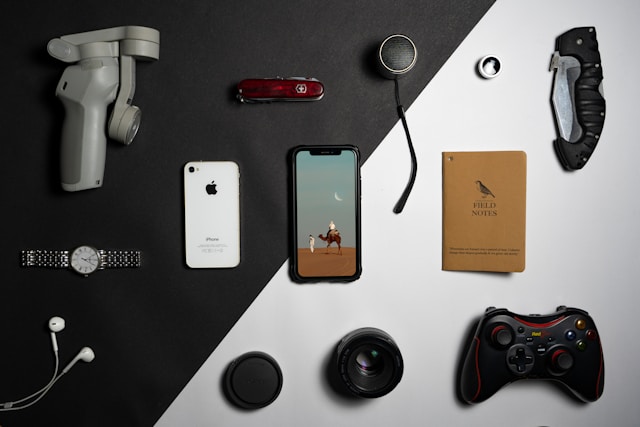
There is plenty of useful technology below $200. The trouble is that many round-ups treat every gadget as if it belongs in everybody’s home. An external SSD, a headset and a smart plug have very little in common. What makes each one worthwhile is the job it solves, how reliably it does that job and what it costs to keep using.
Here are categories worth considering, along with the checks that can prevent an attractive price from turning into an irritating purchase. Prices vary by country and sale period, so this is a buying guide rather than a list of verified live offers.
1. Wireless earbuds for commuting and calls
Most people do not need the highest-end wireless earbuds. A comfortable midrange pair can be excellent for podcasts, daily travel and occasional meetings. Fit matters more than it appears on a specification sheet. A poor seal weakens the bass and reduces the effect of noise cancellation.
If you use them for calls, look for microphone demonstrations recorded in noisy environments, not only music reviews. Check whether replacement ear tips are available and whether the case charges through a cable you already own. A generous return policy is especially valuable for something worn in your ears.
2. A portable SSD for work that cannot be lost
Portable storage is a sensible upgrade for someone moving large files between computers or keeping extra copies of projects. But the fastest drive on the shelf is not necessarily the right one: the speed of your computer’s port, cable and workload all affect the result.
For backups, capacity, durability, encryption and the manufacturer’s support record deserve equal attention. A single SSD is not a complete backup strategy. Keep another copy of important files in a separate location and try restoring it.
3. A comfortable keyboard or mouse
If you type for hours, a better input device may improve your day more than a more powerful computer. Focus on key layout, switch feel, hand position and compatibility with your operating system. For a mouse, shape and size are personal; try to compare something close to your usual grip.
Wireless models are convenient, but check battery life, charging and whether the receiver is easy to replace. Fancy lighting adds little value if the device is uncomfortable after an afternoon.
4. A microphone or webcam for regular video calls
A clearer voice often makes a bigger difference in meetings than a sharper picture. Before buying a USB microphone, experiment with your current headset and the room itself. A soft-furnished space and a sensible mic position can help. If you still need an upgrade, listen to real recordings from independent reviewers.
For webcams, check autofocus, low-light performance, built-in privacy controls and whether the camera requires proprietary software. No amount of 4K branding will improve a video call if the internet connection keeps dropping.
5. A power bank and a reliable charger
Portable power is one of the least glamorous but most useful technology purchases for commuters and travellers. Look for credible safety markings, clearly stated capacity and compatibility with your devices’ charging standards. For flights, check airline rules on watt-hour capacity and cabin baggage.
A charger with enough ports can reduce desk clutter, but avoid buying the largest power rating just because it is available. More watts only help when the connected device can use them.
6. Smart-home accessories, with privacy in mind
A timer-controlled plug or smart light can solve a small daily nuisance. It also adds an internet-connected device and often another account to maintain. Check firmware support, password options, what happens when the cloud service is unavailable and whether the product works with the system you already use.
Do not install a camera or microphone-enabled gadget solely because it is discounted. Consider who else shares the space and what information the device sends away.
How to use a $200 budget
Write down the problem first. Then give yourself a shortlist of two or three products that solve it. Compare warranty length, repair options, return terms and extra costs such as cables or subscriptions. If a £ or ₹ listing is converted to dollars, account for tax and shipping before deciding it fits.
And if your current setup is already doing the job, you are allowed to spend nothing. The best affordable gadget is not always the newest one; it is the one you will still find useful after the novelty disappears.