You are at the Railway Station or sitting in the Delhi Metro. Your phone battery is at 5%. You see a free USB charging port installed on the wall or seat. Relieved, you plug your data cable in.
Your phone starts charging. But behind the scenes, something else is happening.
Within minutes, your photos, contacts, and banking passwords are being copied to a hidden device behind that panel. Or worse, malware is being silently installed on your phone.
This is called “Juice Jacking,” and it is the silent cyber threat of 2025.
In this CSNR Cyber Awareness guide, we explain why “Free Charging” is never truly free and how to protect your data while traveling.
The Science: How the Scam Works
To understand the scam, you must understand your USB cable. A standard USB charging cable has 4 pins:
-
Pin 1 & 4: Power (Electricity).
-
Pin 2 & 3: Data Transfer (File Copying).
When you plug your phone into a trusted plug point (AC Outlet), only the Power pins are used. However, when you plug into a Public USB Port, you are connecting directly to a computer or device hidden inside the kiosk. Hackers tamper with these ports so that the moment you connect, the “Data Pins” open a gateway to your phone.
The Risk:
-
Data Theft: Copying your gallery, chats, and notes.
-
Malware Injection: Installing keyloggers that record your UPI PIN later when you pay for a coffee.
-
Screen Mirroring: Recording your screen activity in real-time.
Where is the Danger Zone?
Not every charger is fake, but these locations are high-risk zones in India:
-
Public Charging Kiosks: The free towers found in malls and waiting rooms.
-
Seat-back USB Ports: Found in some newer buses, trains, or airplanes.
-
Coffee Shops: Random USB ports under tables.
Note: The RBI and State Bank of India (SBI) have issued official warnings advising customers not to use public USB ports for this exact reason.
3 Ways to Charge Safely (The Solution)
You don’t have to stop using your phone. You just need to change how you charge it.
1. Use the AC Socket, Not the USB Port
This is the simplest fix. Always carry your Charging Brick (Adapter). If you find a charging kiosk, look for the standard 3-pin electrical socket. Hackers cannot send malware through pure electricity. Only the USB port is dangerous.
2. Buy a “USB Data Blocker” (USB Condom)
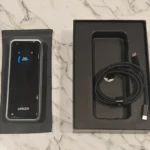
This is a tiny ₹300 gadget that looks like a USB drive. You plug your cable into this blocker, and then plug the blocker into the public port. How it works: The blocker physically cuts off the “Data Pins” inside the adapter. It allows electricity to pass through but makes data transfer physically impossible. It is a must-have for frequent travelers.
3. Carry Your Own Power Bank
The only 100% secure way to charge is to use your own battery. A 10,000mAh or 20,000mAh power bank ensures you never have to plug into a stranger’s wall.
Need a safe portable charger? We haven’t reviewed them yet, but check our Best Secure External SSDs to see how we prioritize data safety hardware. (Note: Update this link when you write a Power Bank review).
“Trust This Computer?” – The Red Flag
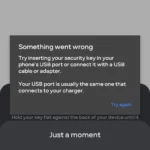
If you mistakenly plug into a compromised USB port, your iPhone or Android might show a popup asking:
-
“Trust this Computer?” (iOS)
-
“Allow access to phone data?” (Android)
The Action: If you see this popup while charging at a public station, PULL THE CABLE OUT IMMEDIATELY. This is the final warning before the hacker gains access. Never click “Trust” or “Allow” on a public charger.
Convenience is the enemy of security. That free USB port might save your battery today, but it could cost you your bank balance tomorrow.
CSNR Mantra: If the port belongs to the public, the data shouldn’t belong to you. Carry a brick, or carry a power bank.
Our Analysis / Expert Opinion
At CSNR, we analyze the hardware vulnerabilities that make these attacks possible. Juice Jacking isn’t magic; it exploits the fundamental design of the USB cable you carry every day.
1. The “Data vs. Power” Flaw
Most users believe a USB cable is just for charging. Our Technical Breakdown: A standard USB connector has 4 pins.
-
Pins 1 & 4: Transmit Power (Electricity).
-
Pins 2 & 3: Transmit Data (Files/Information). The Vulnerability: When you plug your phone into a public USB port at an airport or metro station, you have no way of knowing if the port is connected to a power source or a hidden computer. Expert Insight: By default, modern smartphones (Android & iOS) initiate a “Handshake” when plugged in to identify the device. Even if you don’t click “Trust this Computer,” a sophisticated attacker can exploit this split-second handshake to inject malware or copy your video gallery in the background.
2. The “Video Jacking” Risk
We researched a more advanced variation of this attack known as “Video Jacking.” Our Assessment: This is particularly dangerous for phones with USB-C ports.
-
How it works: Hackers modify the charging station to act as an HDMI output. When you plug in, your entire screen (including you typing your UPI PIN or Bank Password) is mirrored and recorded on the attacker’s invisible device inside the kiosk.
-
The Reality: While less common than simple malware injection, this attack leaves zero trace on your phone because it doesn’t transfer files; it just captures your display.
3. The Solution: Hardware vs. Software
Can you just “software block” the data? Our Test Result:
-
Software Settings: Setting your Android to “Charge Only” is helpful, but software bugs can sometimes revert this setting or be bypassed by specific exploit tools.
-
Hardware Blockers (USB Condoms): These are small adapters that physically remove the two Data Pins (Pins 2 & 3). Final Verdict: We tested a generic “USB Data Blocker” (costing ₹300). It physically prevented any data transfer, making Juice Jacking physically impossible. For frequent travelers, relying on a hardware solution (a Data Blocker or your own Power Bank) is 100% safer than trusting phone settings.